Following Conversations
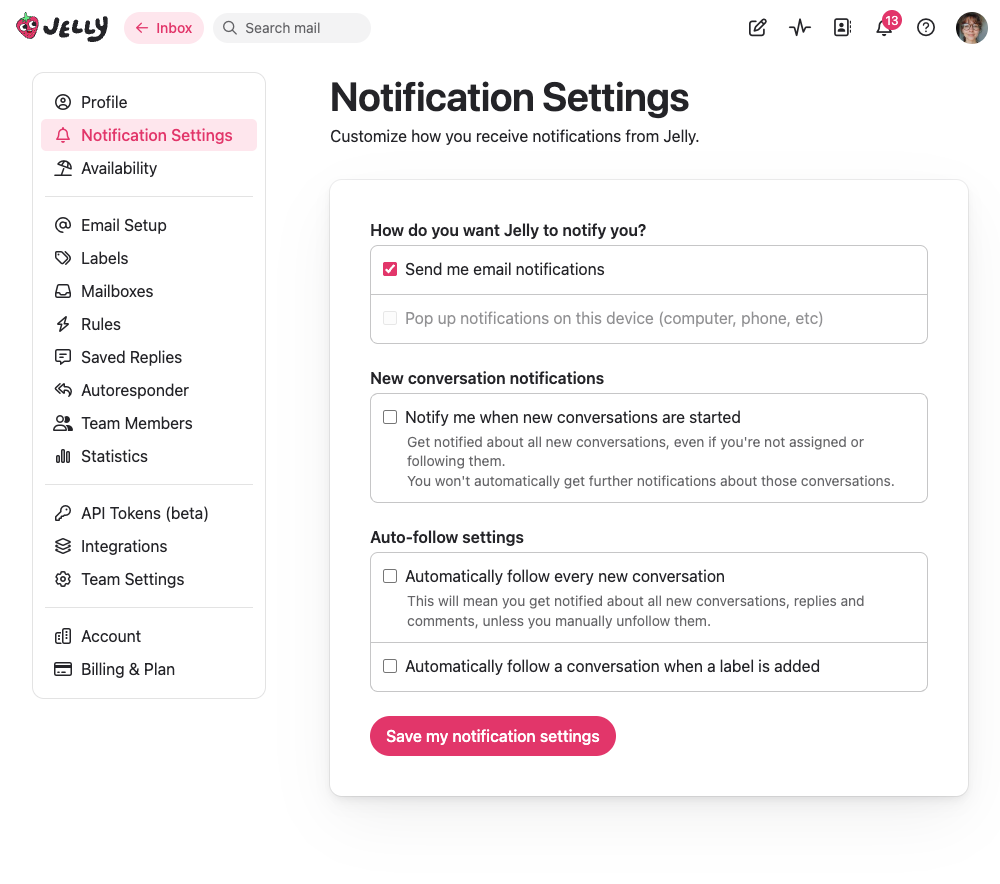
Notifications in Jelly are based on following. When you follow a conversation, you’ll receive notifications about activity on it. When you’re not following, you won’t get notifications.
Automatic Following
You automatically follow a conversation when you:
- Send a reply to the customer
- Add an internal comment
- Are assigned to it
- Are mentioned in a comment
- Create a new conversation
Manual Following
You can also manually follow any conversation from the actions menu:
- Follow along — Start receiving notifications for this conversation
- Stop following — Stop receiving notifications (only available if you’re not currently assigned — you always follow conversations you’re assigned to)
Following is great for conversations where you want to stay informed but aren’t directly responsible — like training scenarios, important customer issues, or conversations you’ve contributed to.
What You Get Notified About
When you’re following a conversation, you’ll be notified when:
- A customer sends a new message
- A team member adds a comment
- You’re mentioned with @
- You’re assigned to the conversation
Notification Channels
You can receive notifications through:
- In-app notifications — The bell icon in the header shows your unread notifications
- Email notifications — Get notified via email when you’re away from Jelly
- Browser/push notifications — Pop-up notifications on your device, even when Jelly is in another tab
Notification Settings
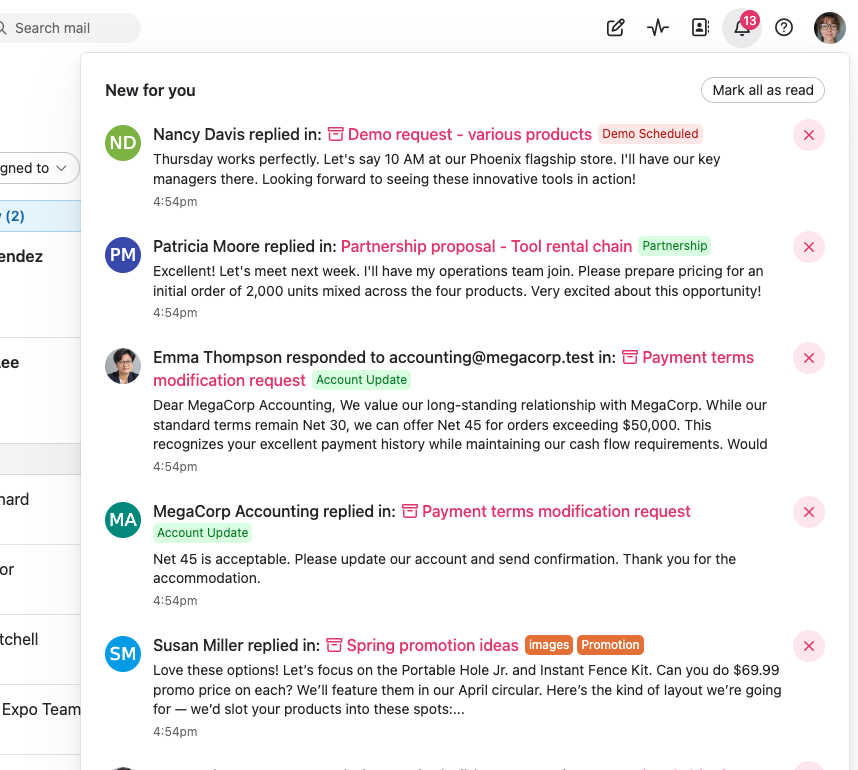
Go to Settings → Notification Settings to control how you receive notifications:
Notification methods
- Send me email notifications — Enable or disable email notifications
- Pop up notifications on this device — Enable browser/push notifications (must be allowed in your browser settings)
New conversation notifications
- Notify me when new conversations are started — Opt in to be notified about every new conversation, not just ones you’re following (off by default)
Auto-follow settings
- Automatically follow every new conversation — Follow all new conversations automatically. This means you’ll get notified about everything unless you manually unfollow.
- Automatically follow a conversation when a label is added — Choose specific labels that, when applied to a conversation, will automatically subscribe you to it
Notification Scenarios
Direct Assignment
Sarah assigns a conversation to you → You get an assignment notification → You automatically follow the conversation → The conversation appears in your “Mine” section
Mention in Comment
You’re not assigned, but someone comments “@john can you help with this?” → You get a mention notification → You automatically follow the conversation → You can choose to assign yourself or just respond with a comment
Customer Reply
A customer replies to a conversation you’re following → You get a new message notification
No Notification
A new conversation arrives in Brand New → No notification (unless you’ve opted in to new conversation notifications) → You’ll only get notified once you’re involved — by being assigned, mentioned, or choosing to follow
Troubleshooting
Not getting expected notifications?
- Check if you’re following — Open the conversation and look at the actions menu. If it says “Follow along”, you’re not currently following it.
- Check notification settings — Go to Settings → Notification Settings and make sure your preferred channels are enabled
- Check spam folder — Email notifications might be going to spam
- Check browser permissions — Push notifications need to be allowed in your browser
Getting too many notifications?
- Unfollow conversations — Stop following conversations you don’t need to track
- Turn off new conversation notifications — If you opted in, consider turning it off
- Review auto-follow settings — Make sure you’re not auto-following more than intended
- Disable email notifications — If you check Jelly frequently, you may not need emails too