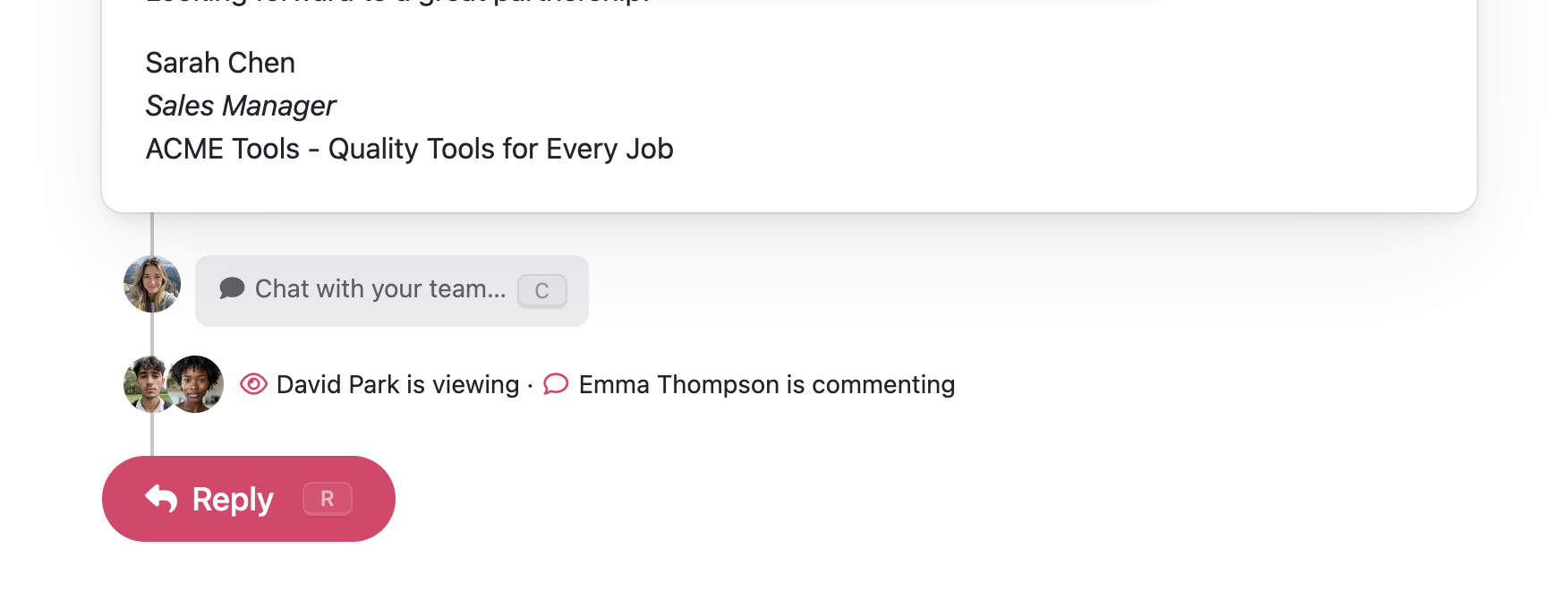
What You’ll See
When you open a conversation, a presence bar appears below the comment form. It shows avatars and activity for any other teammates who currently have the same conversation open.
Each teammate’s activity is shown with a small icon and label:
| Status | Meaning |
|---|---|
| Viewing | Teammate has the conversation open |
| Replying | Teammate is writing an email reply |
| Commenting | Teammate is writing an internal comment |
| Has a draft | Teammate has a saved draft reply |
The presence bar updates in real time — you don’t need to refresh the page.
Avoiding Reply Conflicts
The most useful signal is knowing when someone else is replying to the same conversation you are. If you start composing a reply while a teammate is also replying, the presence bar highlights this with a warning:
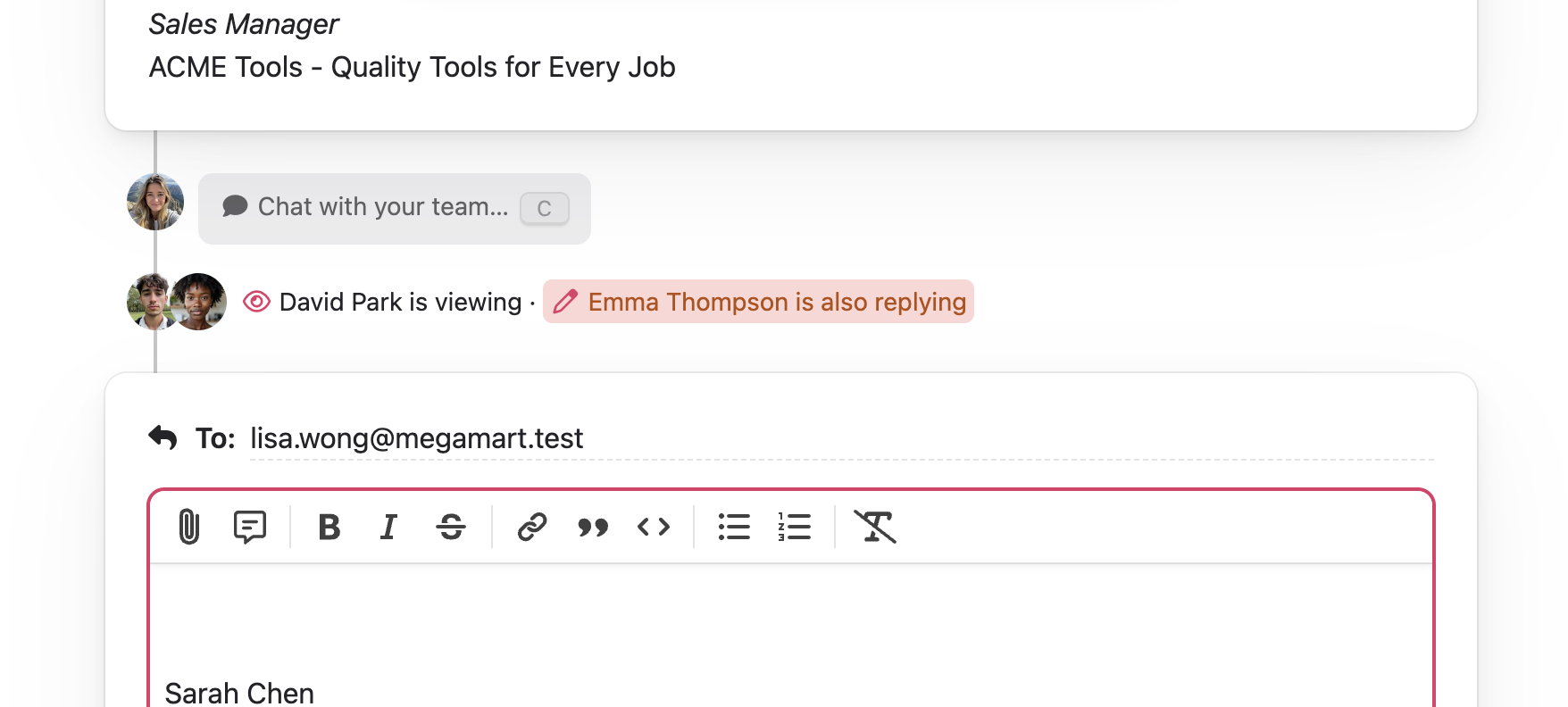
This helps you coordinate before sending — one of you might want to stop and let the other handle it, or you can leave a comment to decide who should reply.
How It Works
Presence is automatic. When you open a conversation, your teammates see you. When you click into the reply editor, your status changes to “replying”. When you click into the comment box, it changes to “commenting”. When you navigate away, you disappear from the presence bar.
If a teammate has a saved draft reply on a conversation but isn’t currently viewing it, you’ll still see a “has a draft” indicator so you know someone has started work on a response.
You never see your own avatar in the presence bar — it only shows other teammates.
Tips
- Check before replying — A quick glance at the presence bar can save you from writing a reply that someone else is already handling
- Use comments to coordinate — If you see a teammate is replying, drop a comment to ask if they need help or to share useful context
- Draft indicators persist — Even after a teammate closes the conversation, their draft indicator remains until they delete or send the draft