Conversation Activity
Each conversation has its own activity feed showing the full history of that conversation: messages received and sent, internal comments, assignment changes, label changes, status changes (archived, snoozed, reopened), and more.
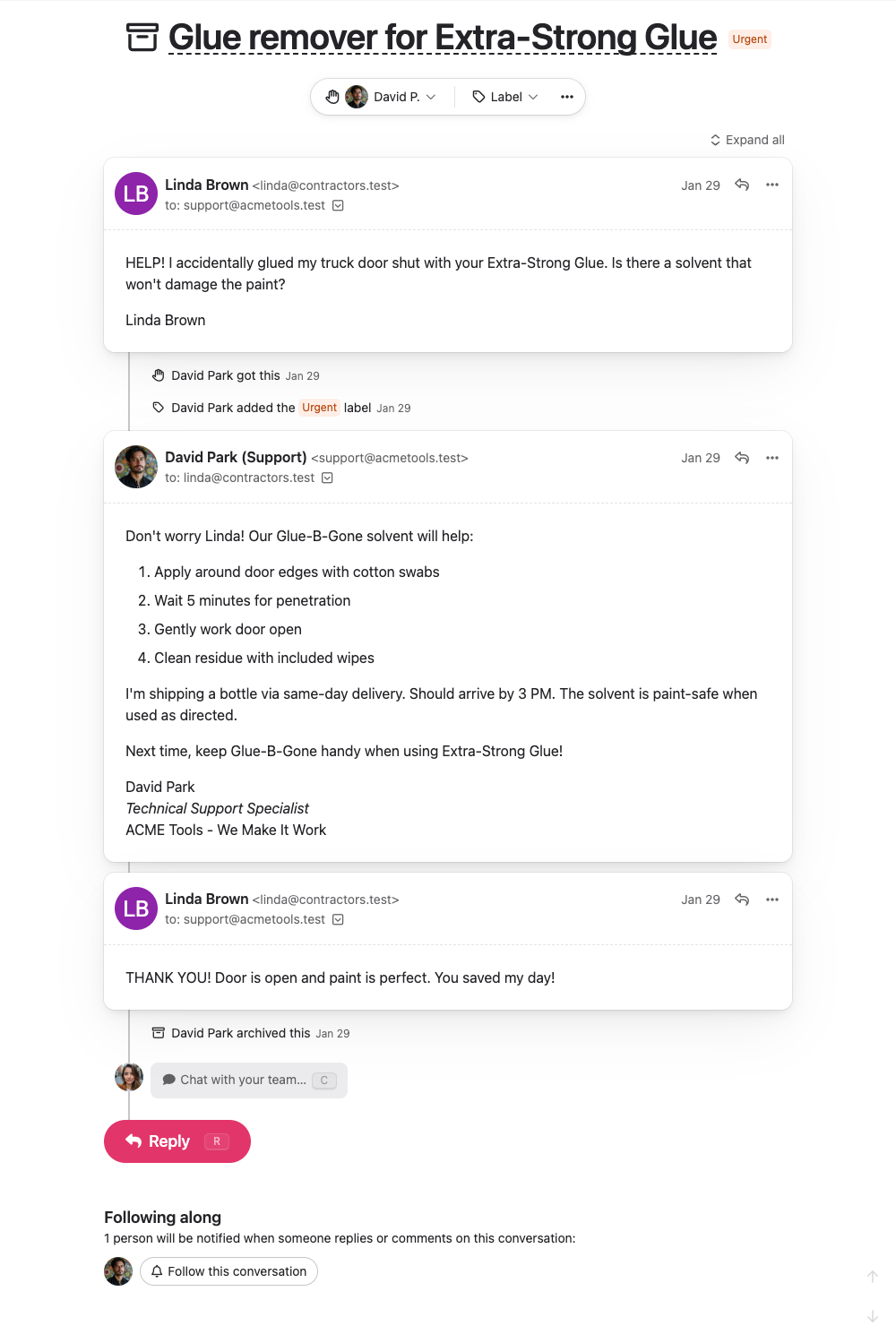
This is especially useful when picking up a conversation that someone else was working on — you can see what’s already been discussed, what approaches have been tried, and who else has been involved.
Team Activity
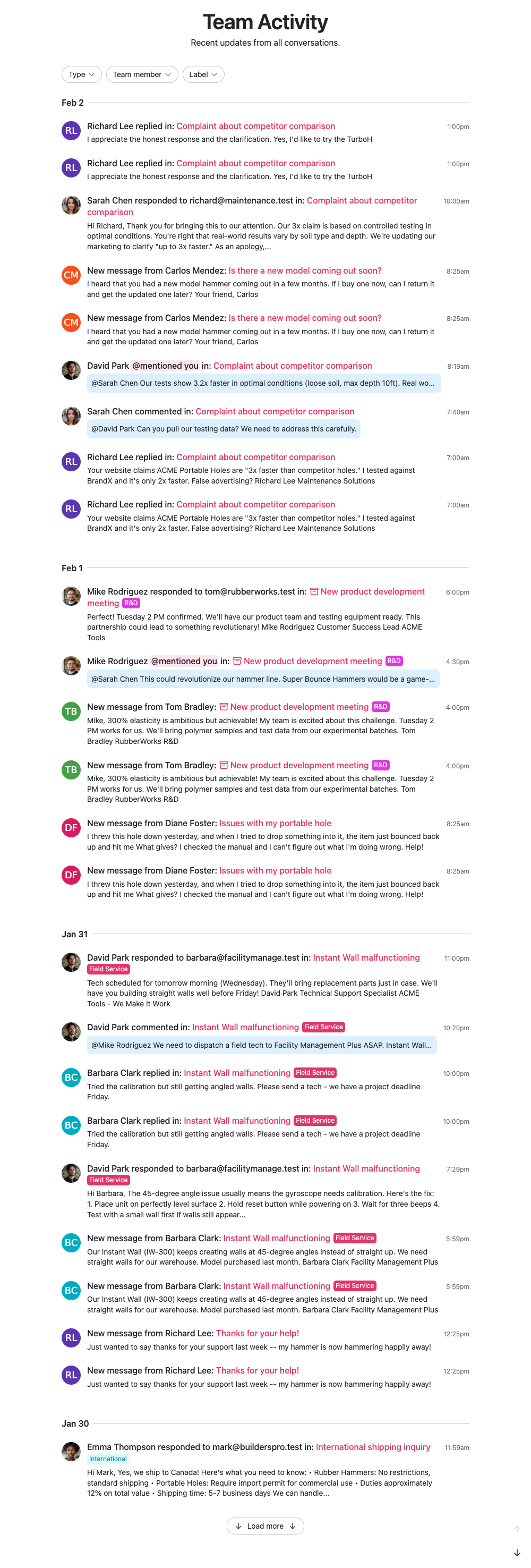
The team activity page shows activity across all conversations, giving you a birds-eye view of what your team is working on.
Filtering
The team activity page lets you filter what you see:
- Filter by type — Show only messages or comments
- Filter by person — See activity by a specific team member
- Filter by label — Focus on conversations with a particular label
What Gets Recorded
Activity entries are created for:
- Messages — Customer emails and team replies
- Comments — Internal team discussions
- Assignments — Conversations claimed, assigned, or unassigned
- Following — When someone follows or unfollows a conversation
- Labels — Labels added or removed
- Status changes — Archived, unarchived, snoozed, unsnoozed, marked as spam, deleted
- Subject changes — When a conversation’s subject is updated
Every entry is timestamped and shows who performed the action.
Privacy
Activity is only visible to your team. Customers never see internal comments, assignment changes, or team discussions — they only see the replies you send them.