
Changelog
What’s new in Jelly
New features and changes to how Jelly works, newest first. Follow along with the feed.
New: Auto-Follow Conversations Based on Label
Following a conversation is how Jelly knows to notify you when that conversation has been updated. You can follow a conversation by clicking the bell icon, and Jelly also sets you to follow along automatically if you take part in the conversation (like writing a reply or leaving a comment).
In your Notification Settings, Jelly has always offered the ability to automatically follow every new conversation, for those that really need to be in the know. But if you didn’t want to see every email, you’d always have to follow manually, until today!
Now you and your teammates can automatically follow a conversation when a label is added. So if there’s people on your team that only care about conversations labeled “Support”, they can set their Notification Settings so they are always following those conversations.
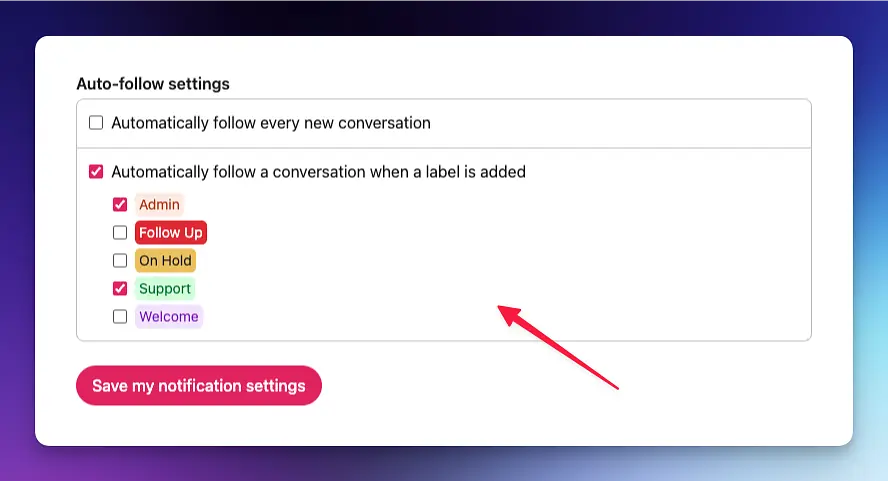
This personal setting works great in conjunction with our Rules. For example, you can have a rule that automatically labels every conversation that comes into your support@your-team.com address to be labeled “Support”, and then anyone following that label will be immediately subscribed and notified.
We hope this update gets you one step closer to automating your team and Inbox so the right people see the right emails.