
Changelog
What’s new in Jelly
New features and changes to how Jelly works, newest first. Follow along with the feed.
New: Edit and Delete Comments
Discussing a conversation privately with your team is one of the stand-out features in Jelly’s shared Inbox. It touches the core of how people best collaborate on email, and now it’s even better in Jelly! Wrote the wrong thing? Mistyped? Now you can edit or delete your comments with ease:
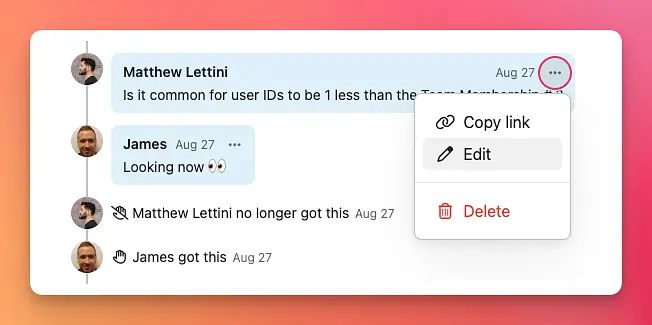
We think it’s important for teams to be on the same page about what happened and when, which is why Jelly conversations are designed like a timeline. In order to not break that timeline, Jelly will leave a little note when you delete a comment to let everyone know they are not crazy, and yes, there did used to be a comment there…